The Preferences tab
Last verified
The Preferences tab holds the defaults Bikepackia fills into every new trip: group size, accommodation, daily rhythm, trip preferences, bike and terrain. It also holds your standing notes — freeform rules Mec, the AI route partner, follows on every trip — and your email-updates choice. Changes save automatically, and you can still override anything for a single trip.
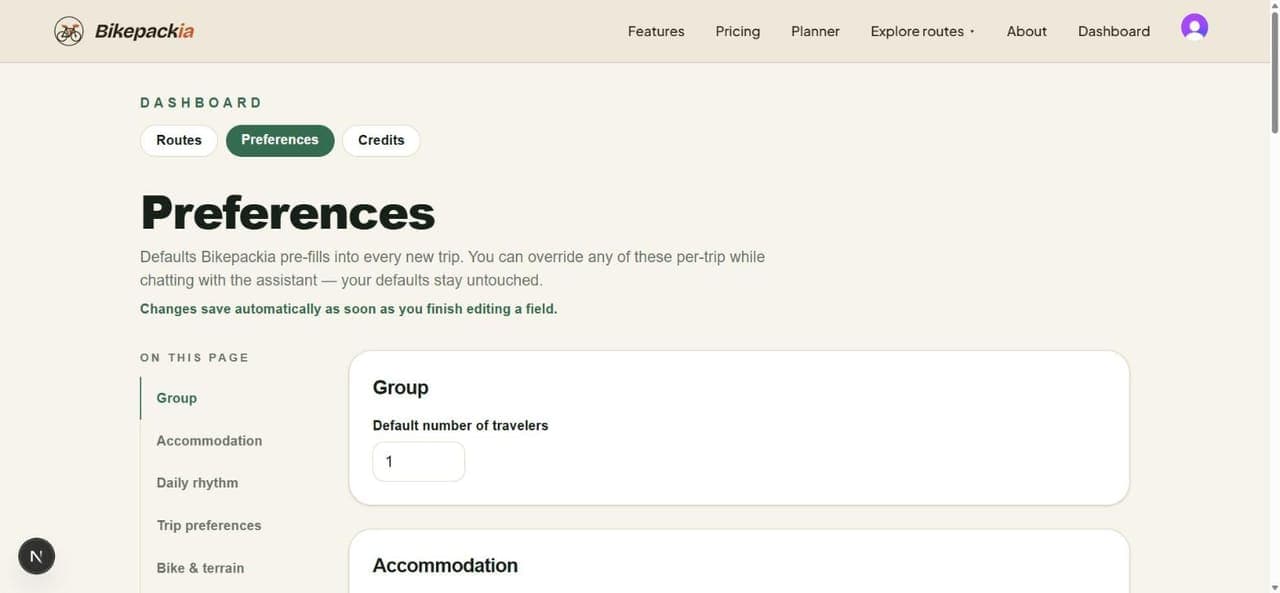
The sections
| Section | What it sets |
|---|---|
| Group | How many of you normally ride. |
| Accommodation | The kind of place you normally sleep in, and a fallback when it isn't available. |
| Daily rhythm | Your usual pace, daily distance and start time. |
| Trip preferences | Budget, lunch style and the scenery you favour. |
| Bike & terrain | Your usual bike, whether it's electric, and the surface and climbing you're happy with. Your bike also sets the bike type a blank web-planner route starts on: Gravel starts on Gravel, Road on Road, E-bike switches the e-bike setting on. |
| Custom preferences | Standing notes in your own words (see below). |
| Email updates | Whether Bikepackia may email you about new features, route ideas and offers. |
These are defaults, not locks: every new trip starts from them, and you can change any of them for a single trip in the planner's Trip preferences tab without touching what's saved here. Edits here save as soon as you finish a field — there's no save button.
Standing notes
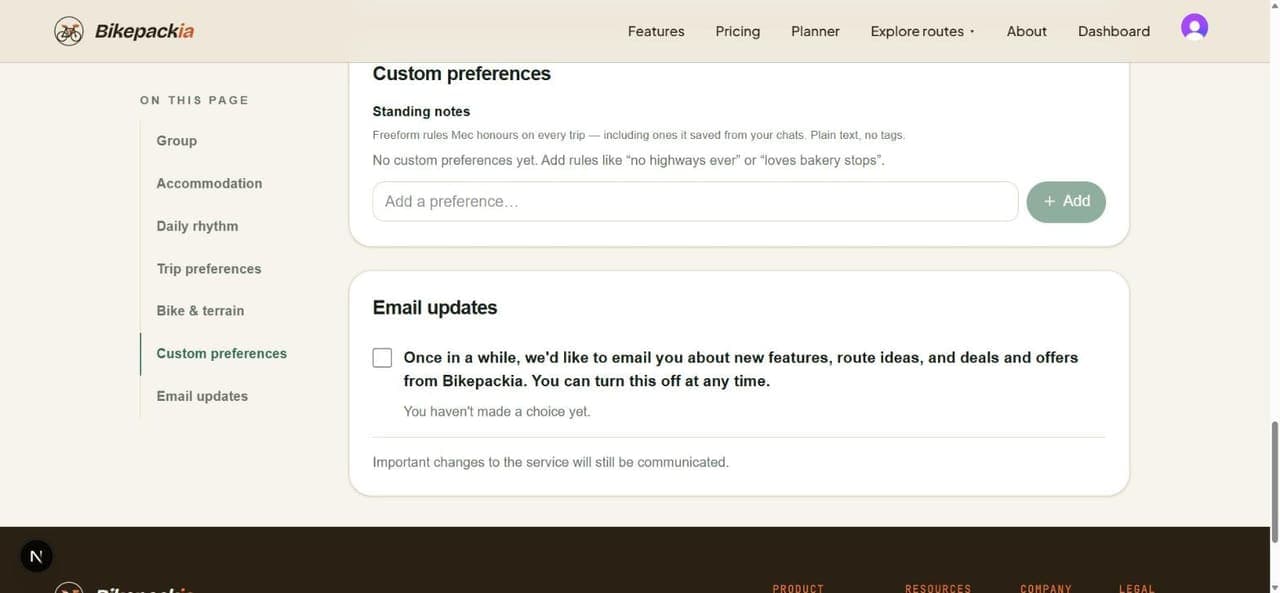
- Write rules in plain words, like "no highways ever" or "loves bakery stops".
- Mec follows them on every trip, and adds notes here itself when you tell it something durable in a chat ("I always avoid city centres").
- They guide what Mec suggests and asks about. They don't change how the routing engine draws the line.
- Email updates are off until you tick the box, and you can untick it at any time. Important service messages are sent either way.
Frequently asked questions
Do I have to save my preferences?
No. Each change saves by itself as soon as you finish editing the field.
How do I stop Mec suggesting something I never want?
Add it as a standing note under Custom preferences, e.g. "no campsites". Mec follows your standing notes on every trip. You can also just tell Mec in a chat and it saves the note for you.
Will changing my defaults change trips I already planned?
No. These are the starting point for new trips. Routes you've already saved keep the settings they were planned with.