The Bikepackia app
Last verified
The Bikepackia app is built for the rider on the road, not at a desk. It carries the trip you're riding — the days ahead, what each one climbs, where you sleep tonight — and Mec, the AI route partner, changes the plan when the road does: a closed pass, a day too long, a bed that fell through. You can plan a whole trip in the app, though the web planner has more tools.
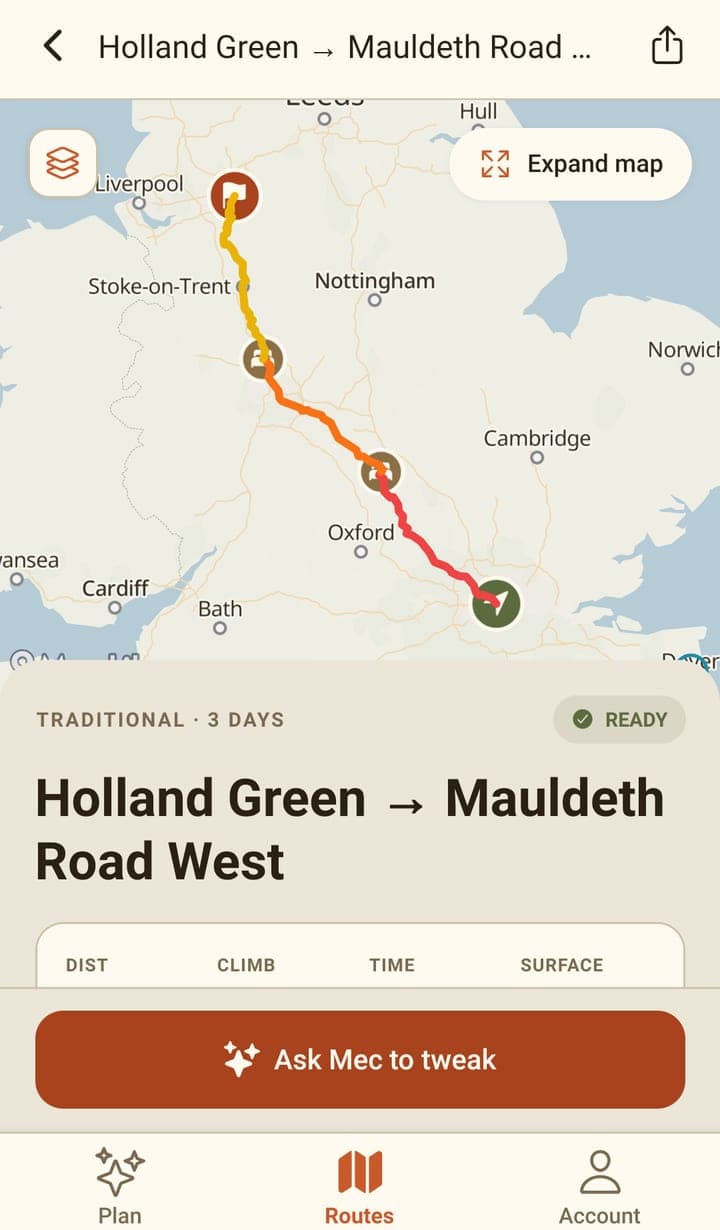
What the app is for
Every rider needs a companion. The app is the half of Bikepackia that rides with you: it holds the plan you made, shows you what's coming, and lets you rework it in plain language without stopping to open a laptop.
The Android app is free to install from Google Play. You sign in with the same account as the website, and asking Mec spends credit from the same balance.
- See the day you're on: its distance, its climbing, how long it should take at your pace, and the climbs still ahead.
- Know where you're sleeping tonight, and find somewhere else when that changes.
- Ask Mec for a change — a shorter day, a way round, a stop added — and watch the route redraw.
- Send the route as a GPX file to your head unit or navigation app.
- Your trips are available both on the web and in the app, so you can plan on a laptop and ride with your phone.
We are working on more features for the app. Daily briefings, offline maps, and road and weather alerts are among the features in the pipeline.
The three tabs
| Tab | What it's for |
|---|---|
| Plan | Start a trip by describing it to Mec, or reopen your latest saved route or an earlier chat. |
| Routes | Every route on your account, searchable — the trip you're riding included. |
| Account | Your wallet balance, profile settings and notification preferences. |
The app and the web planner
Both plan routes and both read the same account, so a trip planned on one opens on the other. They're built for different moments: the planner is a drawing board, the app is a companion.
On an Android phone, opening the web planner sends you to the app on Google Play instead. Add ?web=1 to the planner address to stay on the web planner — that phone remembers the choice, and ?web=0 undoes it. Links to a shared trip, a saved route or a EuroVelo route always open the planner.
| Web planner | The app | |
|---|---|---|
| Best at | Planning a trip in depth, before you go | Riding the trip, and changing it as you go |
| Building a route by hand | Yes — set points, drag the line, reorder stops | No — you ask Mec, or tap a place it offers |
| Splitting into days | By hand, or ask Mec | Ask Mec |
| Importing a GPX you already have | Yes | No |
| GPX export | Whole trip, per day, or all days in one file | Whole trip, through the share sheet |
| Sharing a route with someone | A private link | The GPX file |
| Account needed | Only to save, share and use Mec | Yes, for everything |
| With you on the bike | No | Yes |
Keeping the app up to date
- When you open the app and a newer version is available, it shows "Updating Bikepackia…" with a progress bar, then restarts into the new version — usually a few seconds. If the download drags on, "Continue without updating" appears after about 15 seconds, and the update keeps downloading in the background.
- If an update finishes downloading while you're using the app, a banner says "A new version of Bikepackia is ready." Tap Restart to switch now, or Later to carry on. The app never restarts on its own while you're using it.
- If Mec, the AI route partner, replies that the app is out of date and can't plan routes, close the app fully (swipe it away) and open it again. If the message keeps coming back, update Bikepackia from Google Play.
- If your version of the app is no longer supported, opening it shows "Time to update Bikepackia" instead of the app, with an "Update on Google Play" button, and you can't get past it until you update. If the app can't reach Bikepackia as it opens — no signal, or a slow connection — it doesn't show this screen and opens as usual.
What it can't do yet
- Turn-by-turn navigation. Bikepackia plans the route; you ride it from the GPX in a navigation app or bike computer.
- Work without a signal. Maps, routing and Mec are all online, and downloading a route for offline use isn't built (coming soon).
- Export a single day as its own file (coming soon).
- Buy credit. The app shows your balance and what you've spent; buy credit on the web and the app shows it straight away.
- Record your ride. Bikepackia is a planner and a companion; it won't replace your navigation device.
Until offline downloads land, the honest advice for a big trip is the old one: export the GPX before you leave, and keep the app for when you have a bar of signal and a decision to make.
Frequently asked questions
Where do I get the app?
On Google Play, for Android phones. It's free to install; sign in with your Bikepackia account and your saved routes are there.
Is there an iPhone app?
Not yet. Android came first and is out on Google Play; iOS follows once the Android app has proven stable. Tell us if you'd like iOS brought forward.
Should I plan my trip in the app or on the web?
Plan on the web if you're sitting down to design a trip — it can draw by hand, import a GPX and export per-day files. Use the app for the trip you're on, and for changing it once you're out there.
Does the app work without a signal?
Not really. Your list of saved routes is cached on the phone, but the map, routing and Mec all need a connection, and offline downloads aren't built yet. Export the GPX before you set off.