Day by day
Last verified
'Day by day' gives each day of the trip its own page — swipe between them or use the tabs. It's the screen to check over breakfast. Each day shows where it runs from and to, its distance, climbing and descent, a ride-time range for your bike and pace, the climbs on that day, and where you sleep; tap that card to search for a bed.
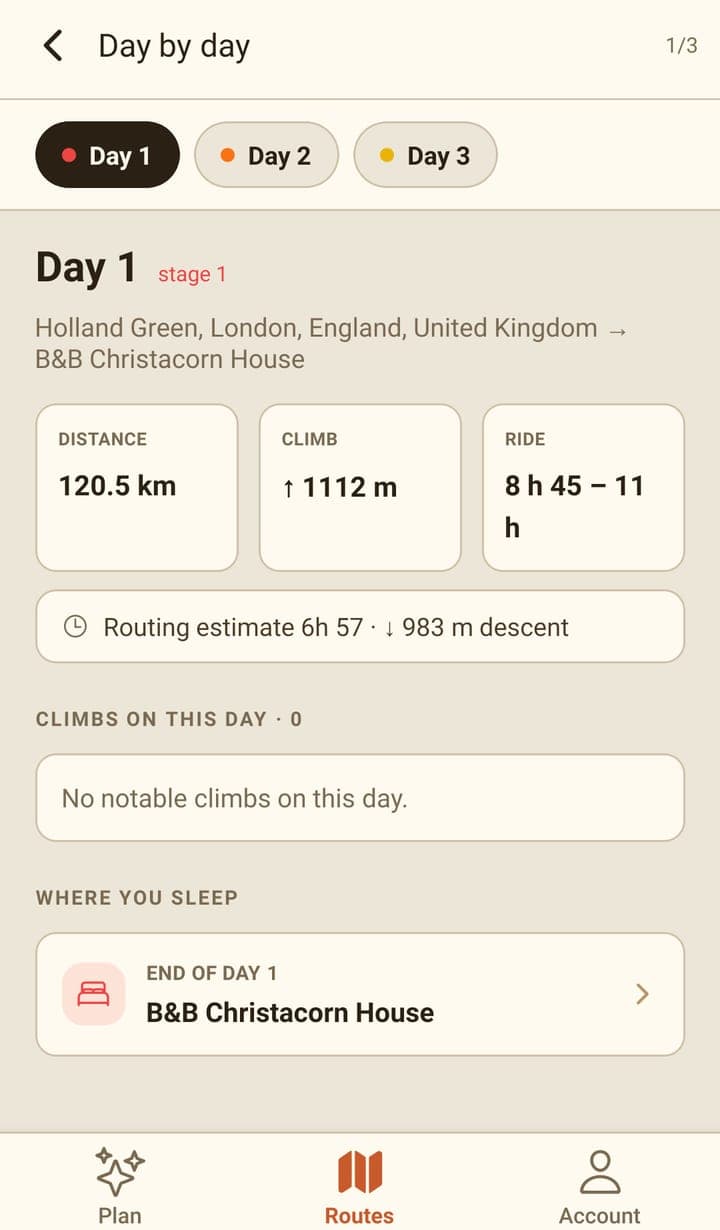
What each day shows
| Row | What it means |
|---|---|
| From → to | The day's start and end. Once you've picked a place to sleep, the name of the place appears here. |
| Distance and climb | That day's share of the route. |
| Ride | A range for the day: its share of the trip's ride time on the route screen, from your bike type, e-bike setting and pace. A day with more climbing gets a bigger share, and the days add up to the trip's total. |
| Descent | The metres of descent on that day. |
| Climbs on this day | The climbs that fall inside this day, tappable through to the elevation view. |
| Where you sleep | The end point of the day, and the way into the sleep search for that night. |
The last day is labelled 'final day' and its 'where you sleep' card reads 'Trip end' — that's your destination, not a night.
Changing the days
The split itself is Mec's job: ask it for a different number of days, or to make one day shorter, and the days here change with the route. Moving where a day ends is easier still — pick a place in the sleep search and that day's end moves to it.
A day that ends wherever the split fell shows the name of a nearby place, looked up for display only. If none is found it reads 'End of day 1', 'End of day 2' and so on, and an unnamed trip start or finish reads 'Start' or 'Finish'. Picking a sleep spot replaces it with that place's name.
Frequently asked questions
Why are the days all the same distance?
The default split divides the route into roughly even days. Ask Mec for something different — an easier first day, a short final day — and it re-splits it.
Why does a day end at 'End of day 2' instead of a place name?
That day ends wherever the split fell, and no nearby place name was found for it. Pick a sleep spot for that night and its name replaces the label.
Can I export a single day?
Not from the app — it exports the whole trip. The web planner can export one file per day.