Account, preferences and credit
Last verified
The Account tab holds your profile, wallet, ride preferences and notifications. Ride preferences are the defaults Mec, the AI route partner, starts every trip from — bike, pace, daily distance, surface, climbing, sleep, budget, units and home region — plus notes it always honours. The wallet shows your balance in euros and what each AI request cost; credit is bought on the web.
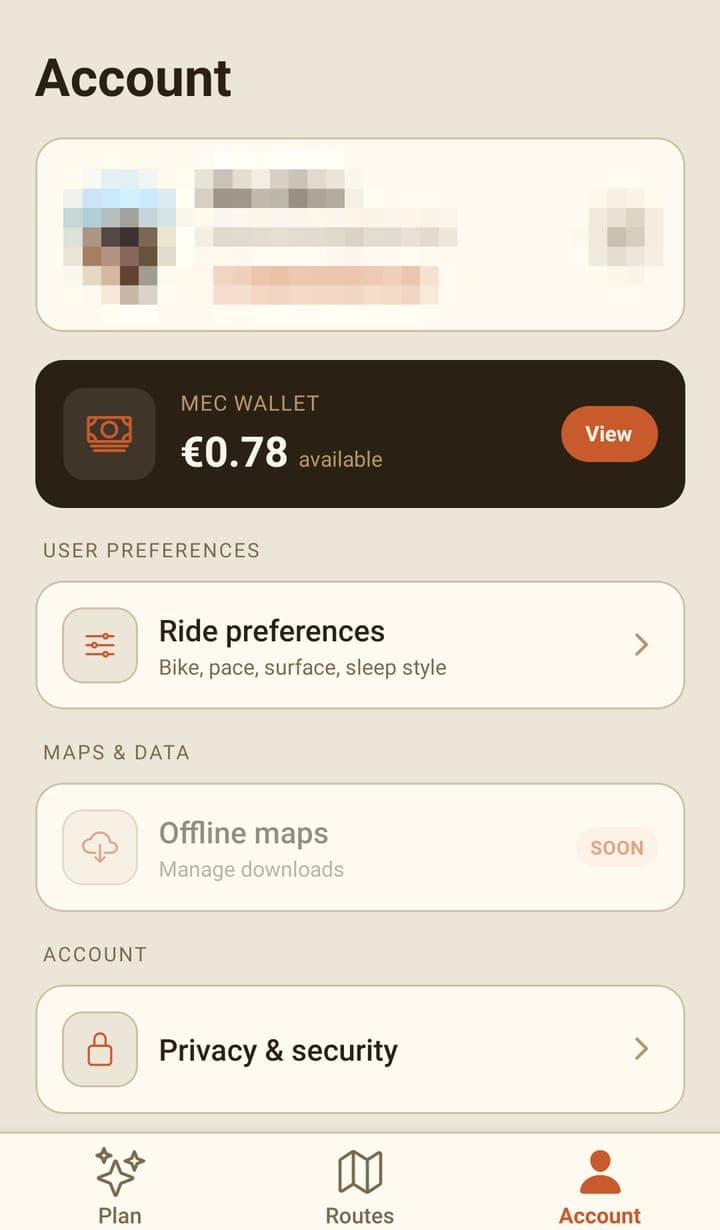
Ride preferences
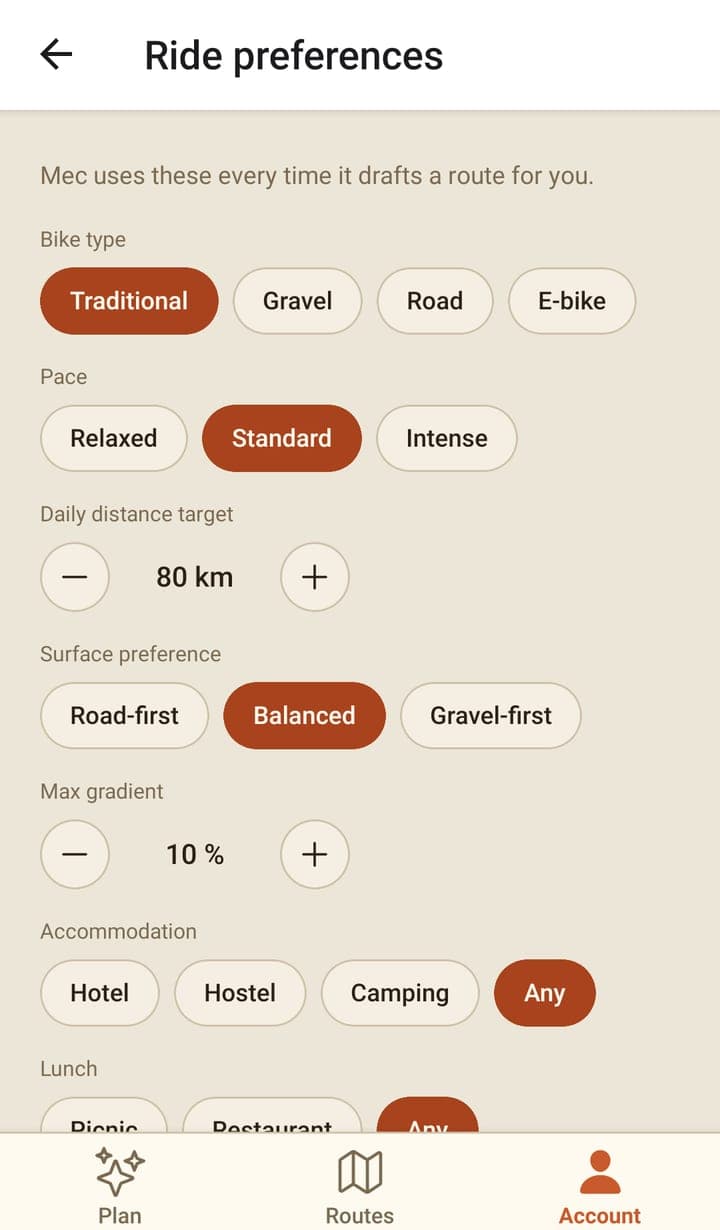
| Setting | What it changes |
|---|---|
| Bike type | The kind of bike you ride, which shapes what Mec suggests. It isn't the same as the routing profile a route is computed with. |
| Pace and daily distance | How far a normal day is. Pace also sets every ride time and average speed the app shows, for the whole trip and for each day. |
| Surface and max gradient | How much gravel you want and how steep you'll go. Mec takes these as guidance, not as hard limits on the line. |
| Accommodation, lunch, budget | What Mec looks for when it suggests places. |
| Scenery, start time, travellers | Context Mec uses when it drafts a trip. |
| Units | Kilometres and metres, or miles and feet. |
| Where you're based | Lets Mec suggest rides near you and understand "from home". |
| Custom preferences | Free-text standing notes — including ones Mec saved from your chats — applied to every trip. |
These are the same preferences as the web dashboard, so changing them on the phone changes them everywhere.
Wallet
- The balance is shown in euros on the Account and wallet screens, and as whole credits on the Plan tab's pill — the same money, two units (100 credits = €1).
- The ledger lists every movement: your welcome credit, credits added, and what each chat or web search cost.
- Billing is metered by how much work a request takes, so there's no fixed price per route.
- Credit can't be bought in the app yet. Buy credit on the web and it will be available in the app immediately.
Notifications
| Setting | What it covers |
|---|---|
| Trip reminders | Before each stage. |
| Mec suggestions | Route and booking tips. |
| Weather alerts | On active trips. |
| Deals & offers | Marketing push, off unless you turn it on. |
| Bikepackia updates | Marketing email, off unless you turn it on. |
The two marketing consents are recorded with the exact wording you agreed to. If you've blocked notifications for Bikepackia in your phone's own settings, the screen says so and offers a shortcut to them.
The rest of the tab
- Privacy & security opens the privacy policy on the website.
- Rate Bikepackia opens the Google Play listing, where you can rate the app.
- Help center is listed but isn't built yet — this guide is the help.
- Offline maps is listed with a SOON badge and does nothing yet.
- The pencil on the profile card is decoration; change your name or email on the website.
- Sign out is at the bottom, with the app version under it.
Frequently asked questions
Why does the app show credits in one place and euros in another?
They're the same balance. The Plan tab shows whole credits, while the Account and wallet screens show euros: 100 credits is €1.
Can I buy credits in the app?
No. The app only shows your balance and what you've spent; buying credit is only available on the website. Every account starts with €2 of welcome credit, and you can buy more on the web.
Does changing my preferences on the phone change them on the web?
Yes. Preferences live on your account, so both apps read and write the same ones.